
Dynamic versus Static permissions
Static Permissions
Portable has always been using “Static” permissions. That is, permissions are divided into several categories: Inter-Process communication, Hardware and Filesystem, they have several imprefection points. Notably, permissions like discrete graphics and power inhibit are defined ahead-of-time, governed by the application distributor and have very low user perception. While Filesystem Permissions are dictated by the user and have consent enforced by the User Binding Subsystem in Portable, we’ve left out previous two. It would also require manual configuration change to override a package-defined static permission.
As most Inter-Process communication and Hardware are controlled by Virtual Filesystem ACLs and D-Bus access rules, together with the lack of APIs, and static nature of landlock enforcement and mount namespace, there is currently no easy way to make those truly runtime permissions. But that doesn’t mean there’s no room for improvement.
We are introducing a whole new flow of User Experience called Hybrid Permissions, specifically to meet the challenges associated with static permissions. Which makes them versatile, enhancing security and privacy while retaining functionality.
Hybrid Permissions
Hybrid Permissions enable precise adjustments to static permissions. Allowing the user to use a sandboxed application without pre-defined permissions. It is essentially a layer of filter on the configuration. The persistent nature reduces interruption to the smallest extent, while also detecting a change in permissions for the user to audit. Important permissions are selected by default, but the user has freedom to disable any of them. It is integrated into the Inter Process Communications system of Portable, and resets when the user invoke --revoke-permissions on the application. Developed with speed and lightweight in mind, it introduces no delay for Portable to start up.
How it works
User
The first time a user activates an application with special permissions, Portable presents a dialogue for permission audit. Take Prism Launcher for an example:
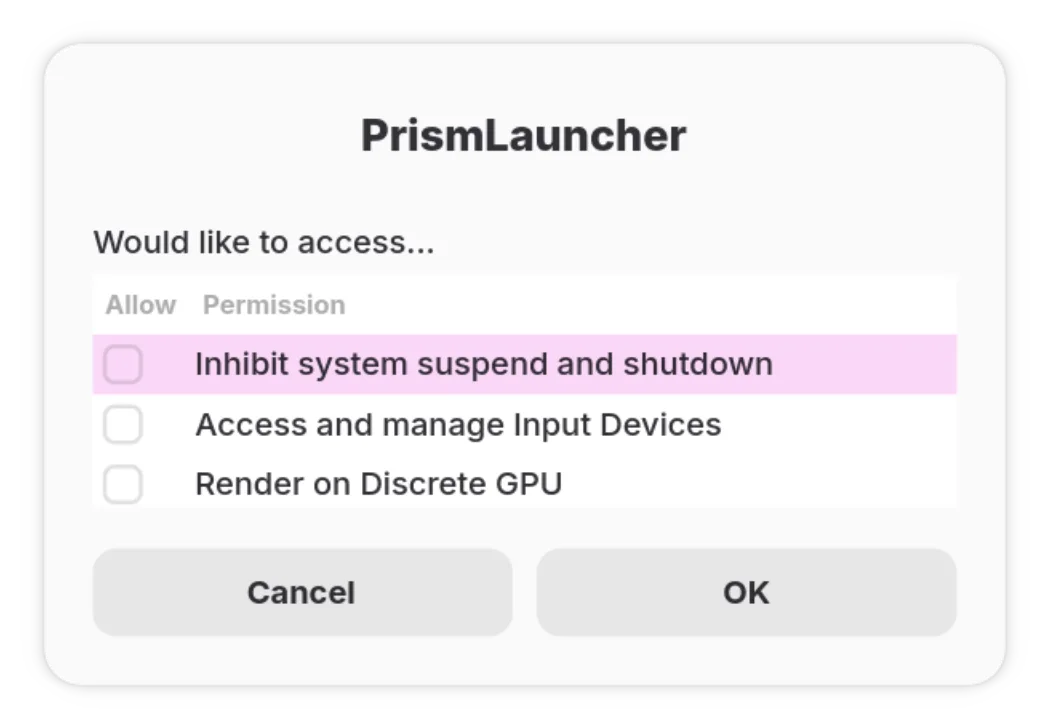
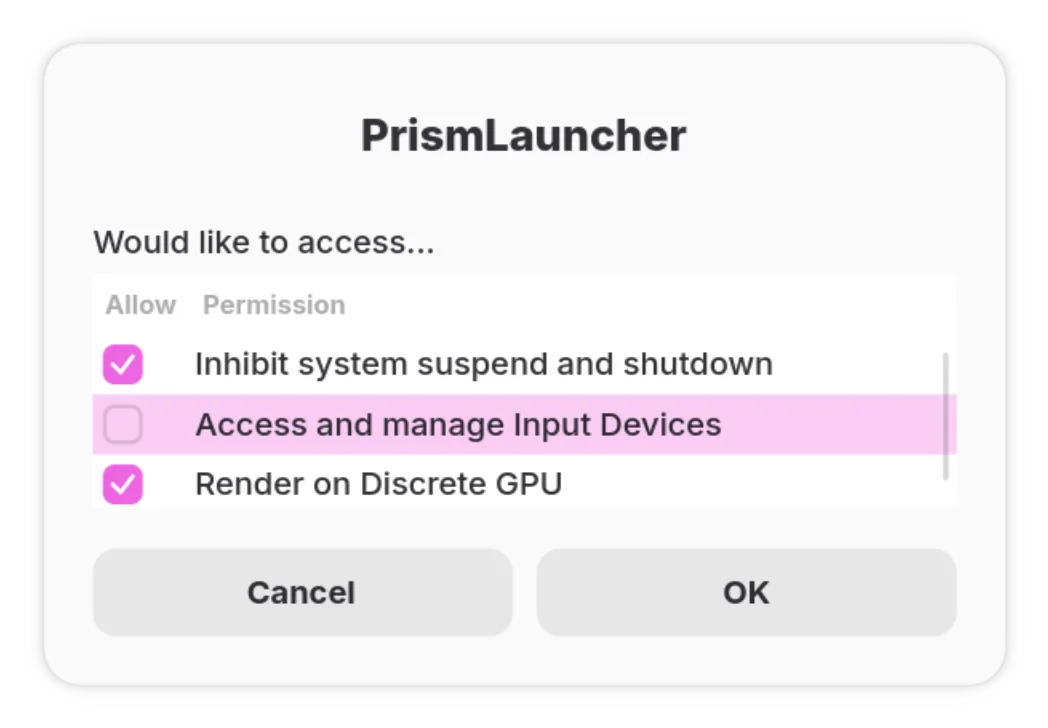
Very simple and straightforward dialogue, showing exactly: “who wants to do what”. Permissions are defined within Portable itself to avoid malicious packaging misleading users. No permission is being selected by default if the application does not break without them. The user can choose freely which permission to allow:
If there is any permission that might be required for normal operation, notably the mount namespace permission, would be selected by default and have a relative comment:
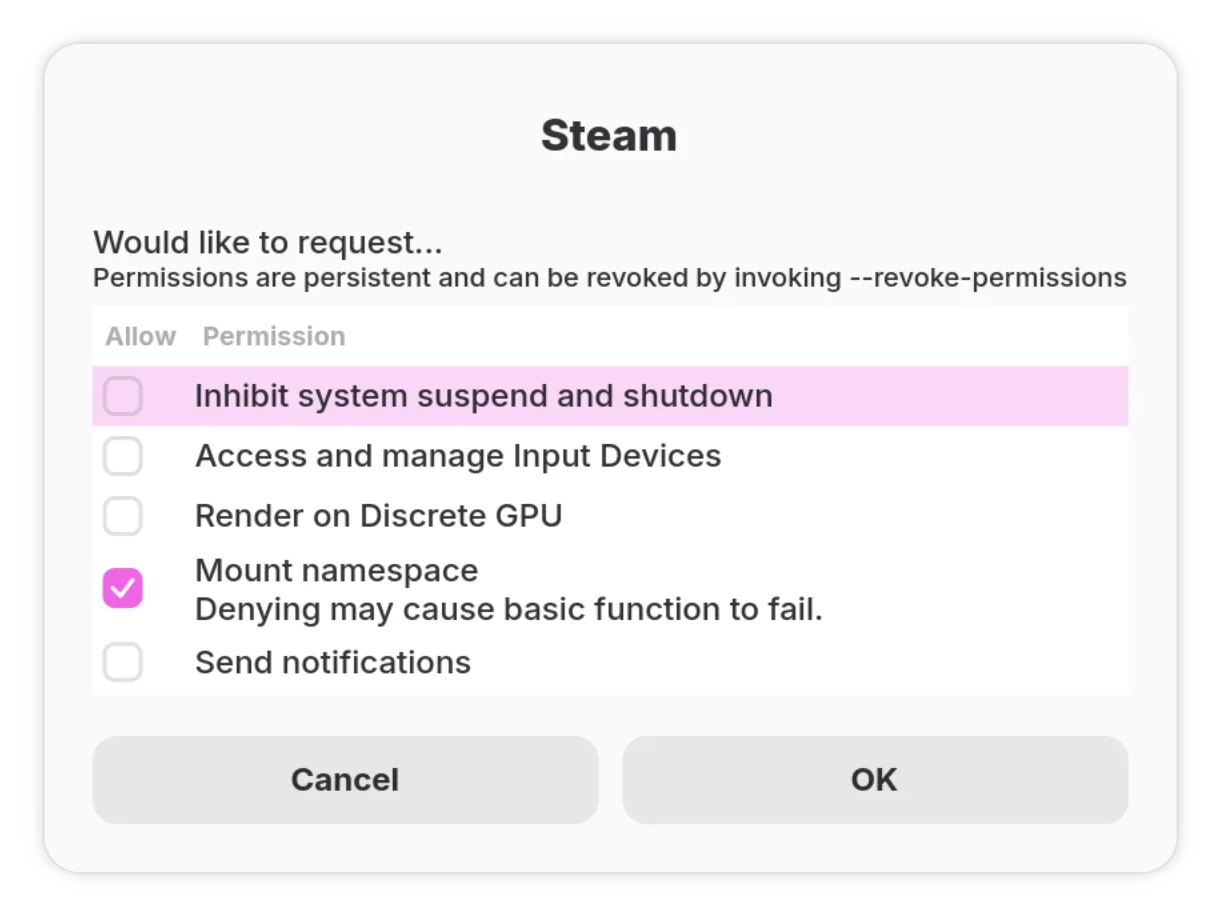
Being user and privacy centric is a core part of Portable. As such, the user has a final say on permissions even if the application would fail to function entirely.
After confirming permissions, Portable persists those records in a secure database for future use. Following launches will directly re-use existing user consent unless the permission has changed, in which case Portable presents a permission dialogue again.
Behind the scenes
On the other side of the curtain, a lot is happening during this consent checker.
Portable’s configuration module has been completely and cleanly separated. There is a new enum defined in this new configuration module to represent a single Hybrid Permissions object:
1 | /** |
Each variant represents exactly one type of Hybrid Permissions, the Display trait is implemented to present user with a friendly String instead of showing awkward names. It also implements notable functions like id(), which gives a unique identifier for a specific permission.
When Portable deserialises the user provided configuration, it also calls trait From<&Config> to convert from structured configuration to a vectored list of DynamicPermission, internally abstracted as:
1 | pub type DynamicPermissions = Vec<portable_config::definitions::consent::DynamicPermission>; |
Multiple backends
This is another example of flexible multiple backends in Portable. For the hybrid permissions system, we have 2 subsystems: Ask and Store. Quite obvious from their naming that one implements a user presentation dialogue, the other makes permission persists.
1 | /** |
Currently, the default is for Zenity to show user a nicely modern dialogue, and XDG Desktop Portal PermissionStore to handle permissions persistence.
Portable first retrieves stored permissions from the PermissionStore backend, stored in a single table top.kimiblock.Portable as key dynamic-permissions. The array of Strings can then be translated back into DynamicPermission using the trait TryFrom<&str>. It can then compare if any permission is currently missing. If not, then return the permission retrieved from selected backend, otherwise we show a dialogue for user to audit.
This new approach is both flexible and fast. Because we have implemented it in an asynchronous and parallel manner, it does not block or slow down startups. Using the power of Rust traits, we can also implement multiple backends both for storing permissions, and presenting a dialogue to the user.